Case study · Client work

IQTAG

A WordPress site a blockchain startup administers entirely on its own — custom theme, no page builder, no plugin debt.

Role: theme architecture, development, deployment, documentation2025 — 2026Duration: 1–2 weeksWordPress · PHP 8.3 · ACF · Vanilla JSiqcom.xyz ↗
The IQTAG home page: the theme navigation, the promise “Protect Your Brand”, the “Get QR code” button and a phone showing a verified QR code.
01/ Context

A frozen design, a non-technical team, no room for plugin debt

IQTAG protects brands against counterfeiting with QR codes verified on a blockchain, and rewards the buyers who scan them through a loyalty programme. What was needed was a corporate site that reproduced their Figma design exactly, that their own team could edit every day without a developer, and that could take new sections later without accumulating the plugin debt that makes a WordPress unmaintainable. The theme is written from a blank page: no parent theme, no page builder.

02/ The problem

What an off-the-shelf theme cannot do

  1. 01

    The design was a finished Figma file, not a mood board. An off-the-shelf theme reproduces most of it and stops at the rest: the gaps are made up in CSS overrides, and the overrides break at the theme’s next update.

  2. 02

    Every element of every page (the process steps, the benefits, the team, the legal pages) had to be editable in the admin by someone who does not write code and will never open an FTP client.

  3. 03

    The tooling budget stopped at ACF Free, which has no repeatable field. Yet the editable lists on the site are variable in length by nature: the number of steps and benefits is content and changes with it, while a mock-up freezes it.

03/ Solution

A custom theme built as a modular monolith

Each capability is a single file in `inc/`, wired in by one `require_once` in `functions.php`: field declarations, content types, AJAX handling, asset loading. Variable-length lists go through a numbered-field pattern (ACF fields declared in code, read back by helpers that drop empty values and return a clean array), so the templates have no idea how the content is stored and the editor never meets a paywall. The contact and subscription forms go out over AJAX, protected by a nonce and fully sanitised, and are written in two places at once: a content type visible in the admin, and an email to the administrator.

No build step, no jQuery, no parent theme. The assets are plain `.css` and `.js` files, versioned by `filemtime()`. Any WordPress developer opens the project and is productive within the hour.

04/ Key decisions

Four times against the obvious

Why a custom theme rather than Elementor or Divi?

A page builder stores the layout as serialised markup in the database. It makes the first version faster to reach and every version after it slower: the design is approximate, the output is heavy, and the site becomes impossible to migrate without the plugin that produced it. A theme with structured fields keeps the content in the database and the design in the repository: each in its place.
Why numbered fields rather than the ACF Pro repeater?

The repeater is a storage convenience: it makes nothing possible that is not possible already. Numbered fields with their helpers give the editor exactly the same experience (add an item, leave the rest empty) while keeping the field structure under version control, in code, with no per-site cost. The templates consume an array either way: the day the repeater becomes available, the migration happens in `acf-helpers.php` and nowhere else.

Why record form submissions in the database and not just email them?

Email is a notification channel, not a register. Deliverability fails, inboxes file themselves, and a startup that loses a lead loses a customer. Writing every message and every subscriber into `castom_message` and `castom_subscriber` gives a register readable in the admin the team already uses daily, with the email becoming the copy rather than the only original.

Why no build step and no jQuery?

The interactive surface is a mobile drawer, a team filter, two AJAX forms and some reveals on scroll. All of that is native browser API: Fetch, IntersectionObserver, CSS scroll-snap. A bundler would add a toolchain the client would have to keep alive to change one line of CSS, and jQuery would add a dependency to do what the platform already does.

05/ Visuals

The site and its admin

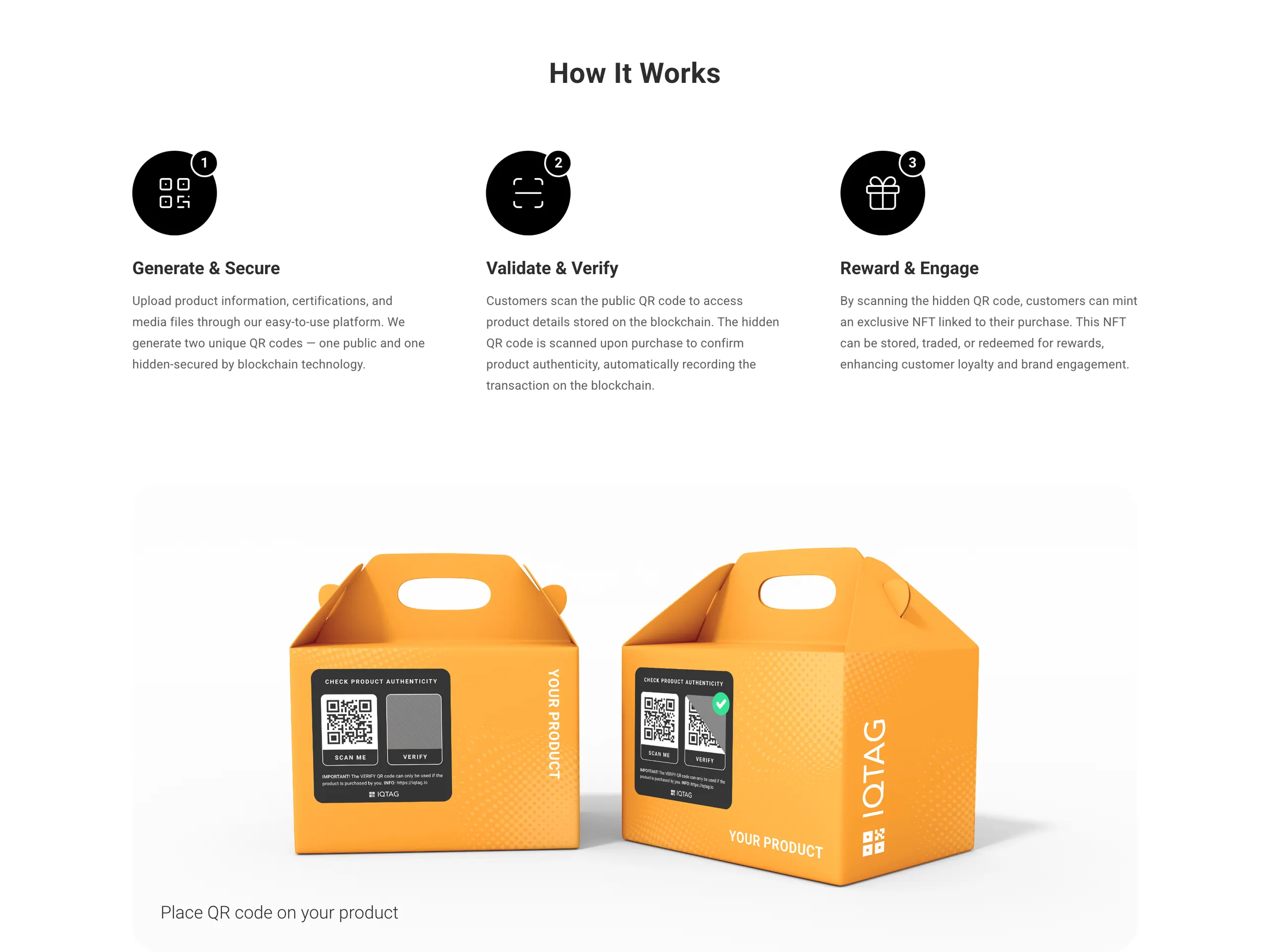
The “How It Works” section: three numbered steps — generate, verify, reward — then the visual of the two QR codes on the packaging.
1440 px · every step is an editable field
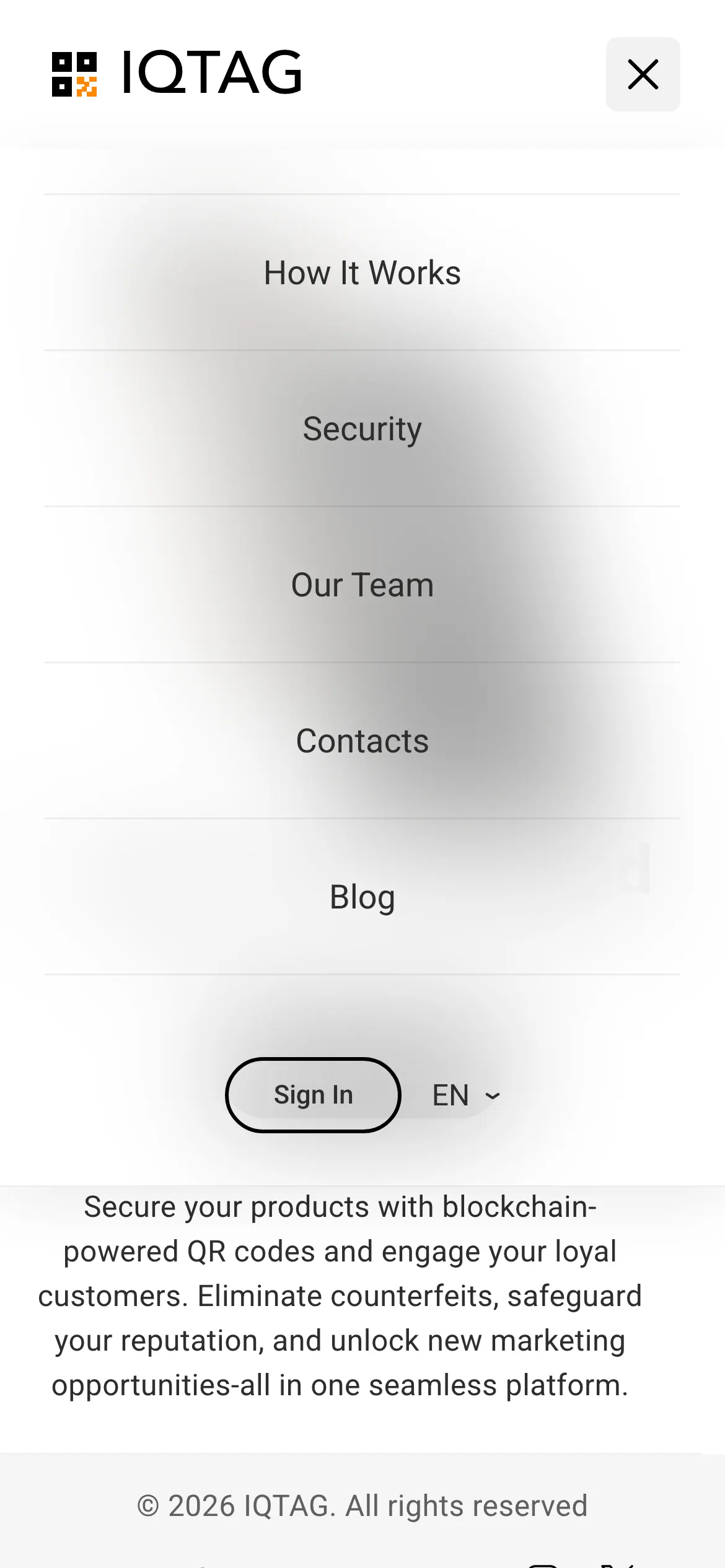
The navigation drawer open on mobile: the five menu entries, the login button and the language picker.
390 px
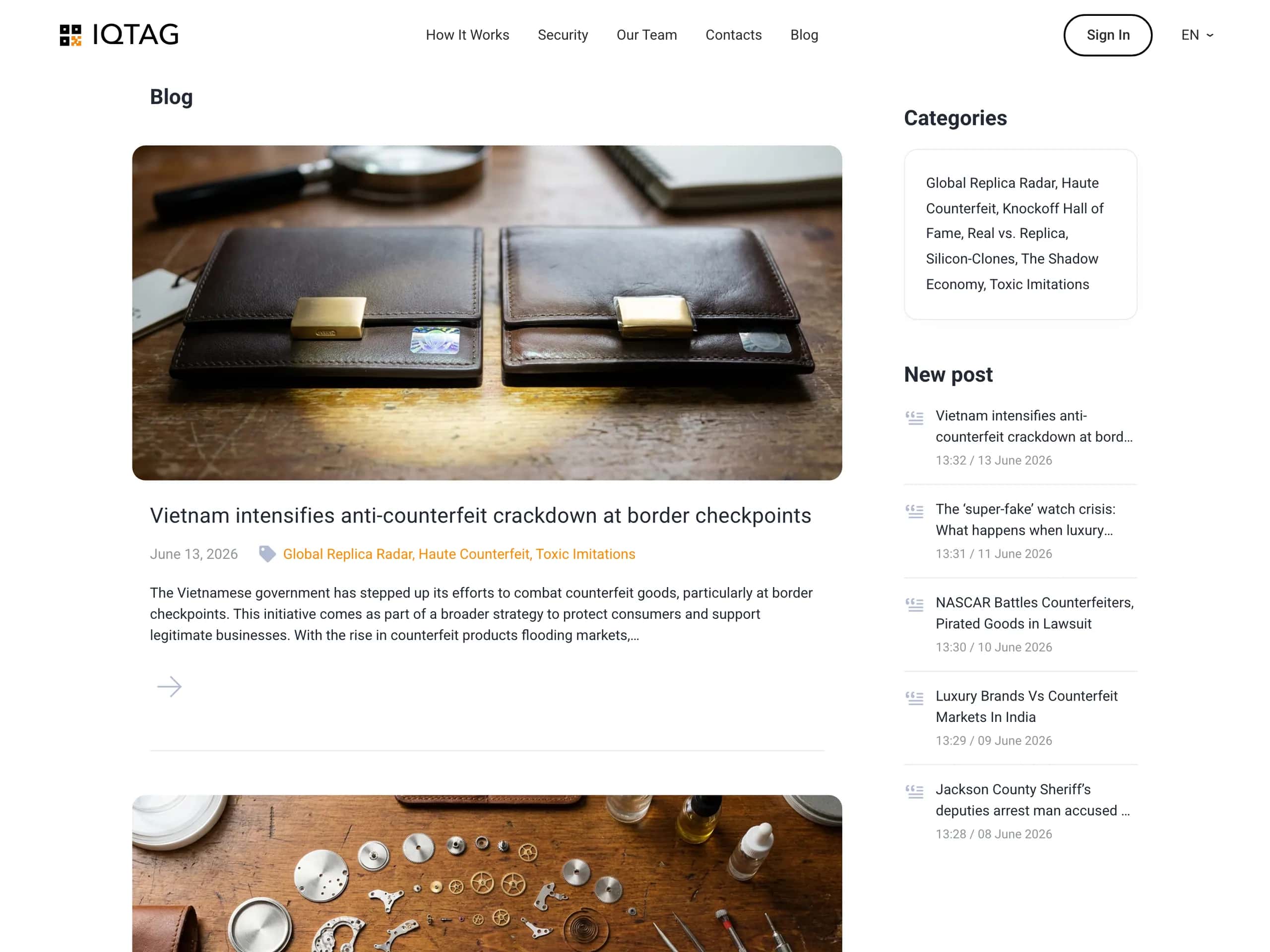
The blog archive: lead article with image, date and categories, and a sidebar listing the categories and the latest posts.
1440 px · published after delivery
06/ Internals

Modules, content, security

functions.php holds nothing but entry points. Everything else lives in inc/: setup.php (theme supports, menus), enqueue.php (assets and wp_localize_script), acf.php (every acf_add_local_field_group() call and the options page), acf-helpers.php (reading the numbered fields), ajax-contact.php, submissions.php, team.php. Page templates use the standard Template Name header, so the client assigns them from the admin without a developer. Field definitions are mirrored as JSON in acf-json/, which puts the content structure under version control and removes manual per-environment configuration.

Three custom content types: team_member (photo, role, LinkedIn, email, department), castom_subscriber and castom_message — the last two keep the spelling of the original project. A team_department taxonomy drives client-side filtering on the team page, with no reload. CSS and JS specific to one page (team-page.css, team-filter.js) are loaded from the module concerned and gated by is_page_template(), so the home page never downloads them. The animation layer is a motion.css / motion.js pair driven by IntersectionObserver, in place of what would have been a GSAP or AOS dependency.

Every incoming value goes through the WordPress sanitising functions (sanitize_text_field, sanitize_email, sanitize_textarea_field, wp_unslash); every outgoing value is escaped (esc_html, esc_url, esc_attr). Every AJAX request carries a nonce verified server-side. Every PHP file opens on defined('ABSPATH') || exit. The administrator address is read from get_option('admin_email') rather than hard-coded, so it survives a change of owner. Migration from local to production is documented as a procedure, with URL rewriting through wp search-replace in WP-CLI.

07/ Results

What was delivered

0page builder, build step or jQuery in the delivered theme
5page templates the client assigns alone, from the admin
3custom content types: team, subscribers, incoming messages
1–2weeks from the empty directory to production

Since launch, the IQTAG team publishes and edits the content of the site without me: the sections, the team, the legal pages. I have not been back into the theme for a content request.

  • —Custom theme in production
  • —ACF field structure under version control (acf-json)
  • —Documented local → production migration procedure
  • —Handover: every section editable without code

A project of the same order? Describe it in five lines.

A reply within 1 hour, a quote within 24 hours, on working days. A message binds you to nothing.

or contact@kolomiiets.fr